Articles
Top 10 Apps for Umrah Pilgrims in Makkah and Madinah
Osama Naseer · 30 October 2026 · 12 min

Of all the apps for Umrah pilgrims, the one you really need is Nusuk, the official platform from Saudi Arabia’s Ministry of Hajj and Umrah, used for Umrah permits and Rawdah appointments. After that, install HHR Train if you are travelling by rail, one or two ride-hailing apps, an offline map and a translator. Below are ten apps worth considering, with who publishes each one, what it does, and when you can safely skip it. Set up your Umrah apps at home on good Wi-Fi, while your own phone number still receives codes.
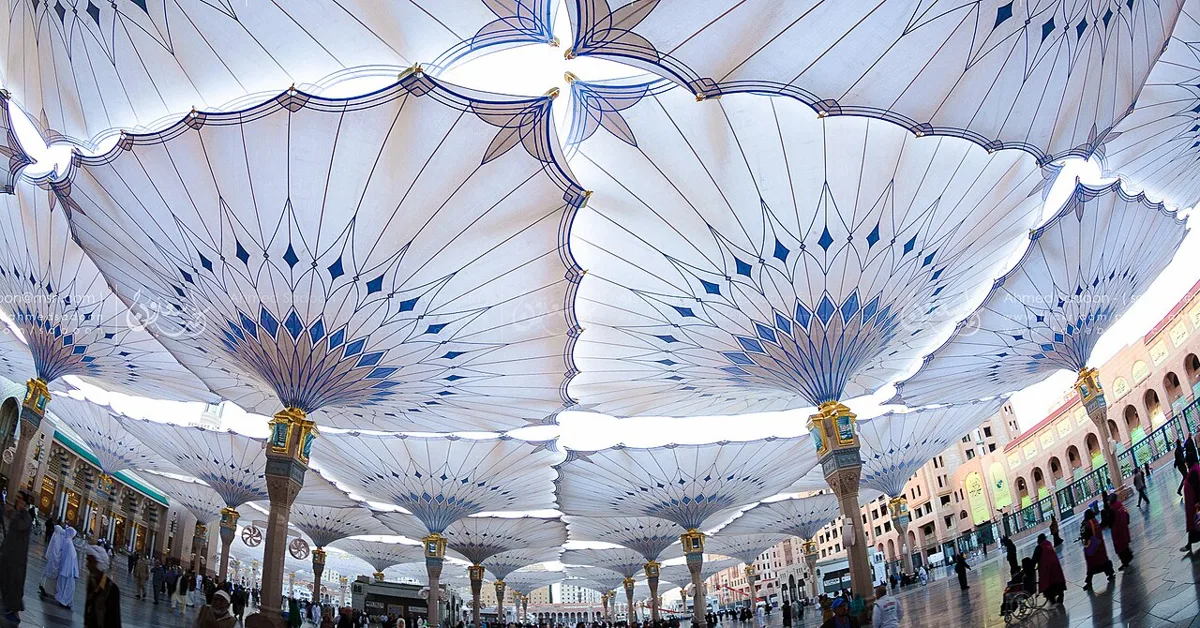
The 10 apps for Umrah pilgrims at a glance
All of these are free to download. Ratings are from Apple’s Saudi App Store on 30 October 2026, unless noted.
| App | Publisher | Use it for | Rating | Do you need it? |
|---|---|---|---|---|
| Nusuk | Ministry of Hajj and Umrah | Umrah permit, Rawdah | 4.71 | Essential |
| HHR Train | Saudi Spanish Train Project Co | Haramain train tickets | 2.97 | If taking the train |
| Google Maps | Walking, offline maps | 4.56 | Strongly recommended | |
| Uber | Uber Technologies | Rides | 4.75 | One of these two |
| Careem | Careem Networks | Rides | 4.64 | One of these two |
| Google Translate | Arabic signs, menus | 4.19 | Recommended | |
| Tawakkalna | National Information Center | Government services | 4.57 | Useful, not required |
| Asefni | Saudi Red Crescent Authority | Emergency requests | 3.57 (Android) | Worth having |
| HungerStation | HungerStation LLC | Food delivery | 4.43 | Optional |
| Quran by Quran.com | Quran Foundation | Read and listen | 4.82 | Optional |
1. Nusuk: permits and Rawdah

Launched in September 2022, Nusuk is the official platform from the Ministry of Hajj and Umrah. It handles Umrah permits and Rawdah appointments, and also offers more than 130 services, from crowd-density checks to Haramain train tickets, according to a March 2026 report that put its users above 51 million. You will find the official links on our downloads page, or you can get the app from the App Store listing or Google Play. Check that the publisher reads “Ministry of Hajj and Umrah”, because lookalike apps exist.
How to register as a visitor
According to the Ministry’s own FAQ, you can register from abroad with a valid visa. You do not need a Saudi number or a Tawakkalna account. You will need:
- Your passport number and visa number
- Your date of birth and nationality
- A mobile number and email address
How to get an Umrah permit
- Log in as a visitor and verify your account with the one-time code.
- Choose the Umrah permit service.
- Pick a date and time slot. A 2025 walkthrough by Gulf News reported that green slots are quieter and red ones are at peak.
- Issue the permit. The Ministry describes this as free and immediate.
The Ministry’s FAQ lists a few rules worth knowing. You can hold only one active Umrah permit at a time. You can add up to four companions, not counting dependents. You must cancel before the start time, and the permit cancels automatically if you cannot enter the Kingdom by then.
How to book the Rawdah
The steps are the same: log in, choose the Rawdah service, pick a slot and issue the permit. The Ministry says a booking is required for anyone aged five and over. Rules on how often you can visit have changed over time, and sources still conflict, with a 30-day gap in one official answer and 365 days in 2025 news reports. So do not rely on any fixed number. The app will show what you are eligible for. Our first visit guide to Masjid an-Nabawi explains how the visit works on the day, and you can preview the mosque on our virtual tour page.
2. HHR Train: the Haramain railway
This is the booking app for the Haramain High Speed Railway, which links Makkah, Jeddah, King Abdullah Economic City and Madinah. It lets you choose your seat, sends tickets by email and SMS, and accepts Mada, Visa and Mastercard, in Arabic and English. Its App Store rating is low at 2.97, so allow time for glitches, and book as soon as your dates are fixed. If the app fails, you can use the operator’s website, linked on our downloads page. Our guide on how to get to Madinah compares the train with flying and driving.
3. Google Maps: finding your way back
Download the Madinah and Makkah areas for offline use before you fly, then save your hotel and your usual mosque gate as pins. Masjid an-Nabawi is huge, and its gates and door numbers can blur together once you are tired. A saved pin helps most when you come out on the opposite side from where you went in. It is also useful for finding places such as Quba Mosque or Mount Uhud, and for the walk across the mosque’s piazza.
4. Uber: rides with a fare up front

Uber’s city pages say rides run around the clock in both Madinah and Makkah, with UberX and XL among the options. The app shows the fare before you confirm, so there is nothing to negotiate. Those pages are undated, so check for a car at the time you need one. Set up your payment method before you leave home, as a card may need a code sent to your home number.
5. Careem: the regional alternative
Careem began in the region and is listed by Madinah airport as a transport option. We could not find Careem’s own confirmation for Makkah, only third-party guides, so check availability in the app. Having both apps means you can compare fares and keep a backup. If you are arriving by air, our guide to Madinah airport transfers compares both with taxis and the bus.
6. Google Translate: Arabic on the go

Download the Arabic language pack so that it works offline. Point the camera at menus, medicine labels or shop signs, and use conversation mode with drivers and hotel staff. Many people working around the mosque speak some English or Urdu, but this helps once you go further out, or when you need to explain something specific at a pharmacy. For eating out, try it on a menu at a place like AlBaik or Al Romansiah.
7. Tawakkalna: useful, not required
Tawakkalna is the Saudi government’s national services app, from the National Information Center. The Ministry’s FAQ confirms that you do not need it to register for Nusuk. It also says that permits can be shown and verified on arrival through Tawakkalna and Nusuk. We found no 2026 rule making it mandatory for short-stay Umrah pilgrims. Install it if your Umrah company or an official service asks you to, or if you want a second place to show your permit. Visitors can sign up with their passport, nationality, date of birth, mobile number and visa number, according to Wego. The official link is on our downloads page.
8. Asefni: Red Crescent emergency requests
Asefni (أسعفني) is the Saudi Red Crescent Authority’s emergency app, launched in 2018. It sends your location to responders, can send SMS distress alerts and stores your medical history. It also has a text-only option for people with hearing difficulties. It is worth setting up if you are travelling with elderly relatives or someone with a medical condition.
Note that we could not find it on Apple’s Saudi App Store when we checked, although the Android version was updated in January 2026. One listing says it works only inside Saudi Arabia. Do not rely on it alone, and keep the emergency numbers below in your phone.
9. HungerStation: food to your hotel

HungerStation is a large Saudi delivery app. Its listing claims more than 102 cities and 65,000 outlets, though we found no official city list, and Makkah and Madinah are named only in third-party guides. It helps in peak heat, or when an elderly parent cannot manage another walk. Roads near the mosques get very busy around prayer times, so order early and give clear directions. If you are choosing somewhere to stay, our Madinah hotels list shows how far each one is from the mosque, which also tells you how easy a walk out for food will be.
10. Quran by Quran.com: read and listen
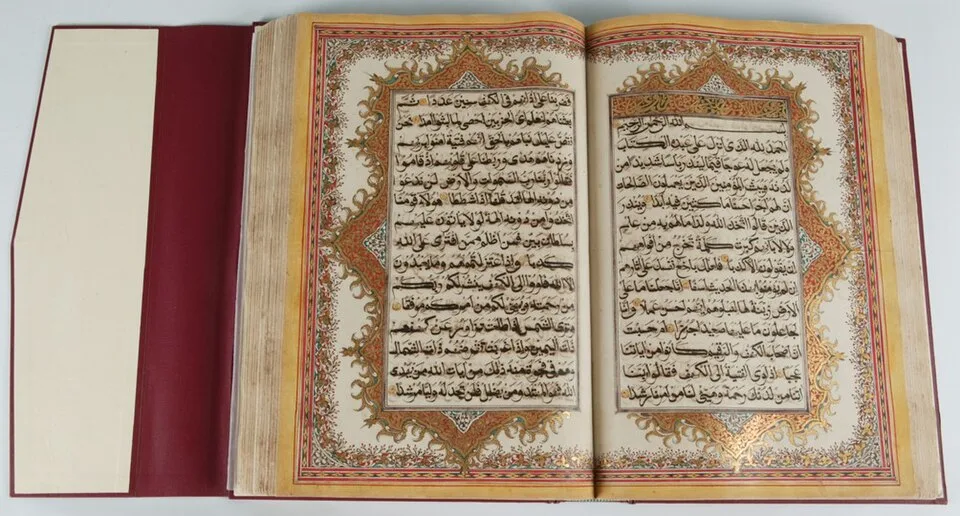
This app from the Quran Foundation has the Arabic text, translations and recitation, and it is the highest rated on this list at 4.82. It is useful for reading between prayers, or for following a translation of what you have just heard. Keep your phone on silent in the mosque, and download what you want beforehand.
Three more worth knowing about
These did not make the top ten but may help in specific situations:
- Absher: the government’s services platform, from the National Information Center, mainly for residents. A Saudi Gazette report says visitors with valid tourist visas have been able to use it since 2021. Zain has said that Umrah visitors can register its Yaqoot SIM or eSIM through Absher rather than giving fingerprints in a store. It is not a step in the Umrah permit process.
- Madinah Bus: the city’s bus service has an app that sells tickets, which is useful for the airport route, according to one traveller’s account.
- Your bank’s app: check that you can approve card payments abroad, because a blocked card is a frustrating thing to fix mid-trip.
Your data connection
All of this needs data. There are three options: your home network’s roaming package, a local SIM, or an eSIM. At Madinah airport, Zain, Mobily and STC have kiosks opposite international arrivals, next to Gate 3, according to the airport operator. Before you buy, check whether your phone is unlocked and whether it supports eSIM. Some apps send sign-in codes by SMS, so keep your home SIM working or in reach until everything is set up.
Common problems and how to avoid them
- The verification code does not arrive. Many sign-ups send a code by email or SMS. Keep your home SIM working until your accounts are set up, and check your spam folder. The Ministry’s FAQ and Gulf News describe different routes for Nusuk’s code, so look at both your inbox and your messages.
- Your card is declined. Tell your bank you are travelling, and approve international online payments in advance. Carry a second card if you can, plus some riyals in cash.
- You installed a lookalike app. Check the publisher against the table above before you enter your passport details anywhere. Delete anything that does not match.
- Your Rawdah slot is not available. Slots depend on capacity. Check again at different times, since Gulf News reported a waitlist and instant booking option in 2025.
- Your phone dies mid-day. Maps and bright sunlight drain batteries fast. Keep screenshots of your permits, and carry a power bank.
Your pre-flight checklist
- Update your phone and free up storage space.
- Install Nusuk and register with your visa details.
- Book your Umrah permit and, where possible, your Rawdah slot.
- Screenshot your permits, hotel bookings and train tickets.
- Download offline maps and the Arabic language pack.
- Create Uber and Careem accounts and add a payment method.
- Save 911 and your hotel’s phone number in your contacts.
- Pack a power bank, because these apps use a lot of battery.
You can also use our free tools in any browser, with nothing to install: Madinah prayer times, the Qibla finder and the Madinah weather forecast. Please remember the etiquette of the mosque too. Our ziyarah etiquette guide covers how to behave respectfully, including with a phone in your hand.
Frequently asked questions
❓Is the Nusuk app free?
The app is free, and the Ministry describes Umrah and Rawdah permits as free and immediate. Packages, hotels or transport booked through it may cost money, so read the price before confirming.
❓Can I register on Nusuk before I arrive in Saudi Arabia?
Yes. The Ministry's FAQ says visitors can register from abroad with a valid visa, using their passport and visa details, without a Saudi number.
❓Do I need Tawakkalna for Umrah?
It is not needed to register for Nusuk, and we found no 2026 rule making it mandatory for short stays. Install it if your Umrah company or an official service asks you to.
❓How often can I visit the Rawdah?
The limits have changed over time and published figures conflict. The Nusuk app shows what you are currently eligible for, so check there.
❓Which ride app should I use in Madinah?
Install both Uber and Careem if you can, then compare fares. Uber shows its fare before you confirm, and Madinah airport lists Careem as a transport option.
❓What number should I call in an emergency in Madinah?
Call 911, which Saudi reports describe as reachable in Makkah and Madinah with multilingual operators. Travel guides also list 997 for an ambulance.
How we checked this article: we used the Ministry of Hajj and Umrah’s website, Apple’s App Store data, the Madinah airport operator, Uber’s city pages, Gulf News, Arab News, the Saudi Press Agency and Wego. We have not tested these apps on a phone in Saudi Arabia ourselves. Last checked 30 October 2026.
Related reading
Best Time to Visit Madinah: Weather, Crowds & Prices
The best time to visit Madinah: monthly temperatures, official crowd figures, hotel rates by season, and 2027 Ramadan and Umrah dates.
Madinah Airport to Masjid an-Nabawi: Taxi, Bus & Transfers
Madinah airport to Masjid an-Nabawi: the official SAR 75 taxi fare, the 24-hour Route 400 bus, Uber and Careem, travel times, and which option suits you.
#Nusuk #Umrah #Apps #Planning